Art with Flo: The Best Procreate Starting Point for New Digital Artists
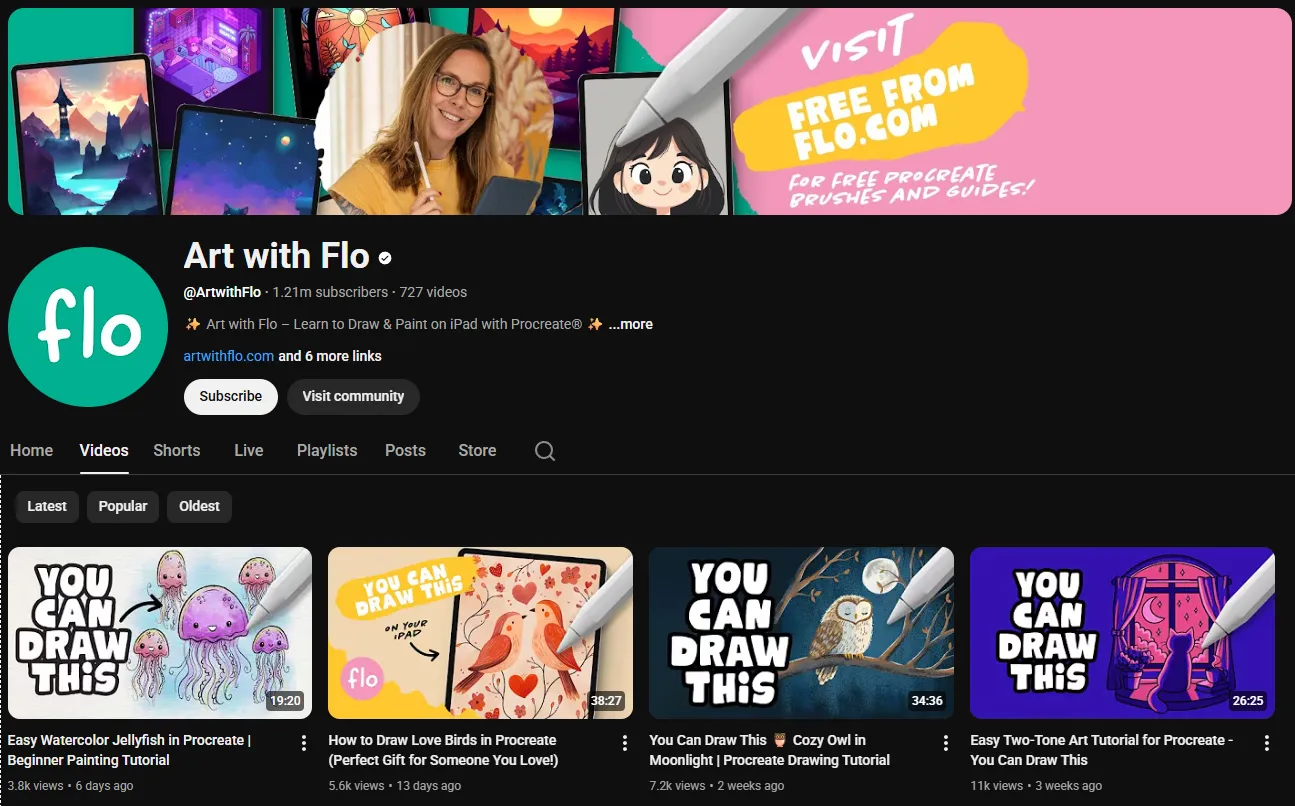
If you bought an iPad and Apple Pencil, opened Procreate, felt overwhelmed by the interface, and closed the app, you are not alone. That experience is so common it has become a meme in the digital art community. Floortje van Doorn, a Dutch artist based in the Netherlands, built her entire channel around fixing that exact moment.
Art with Flo has 1.2 million subscribers and a library of over 700 tutorials, and every single one is designed for the person who just opened Procreate for the first time. She posts new tutorials every Friday, which she calls "Floday," and her back catalog covers landscapes, characters, animals, abstract pieces, and fantasy illustrations, all built around the same principle: if you follow along step by step, you will finish with something you are proud of.
The Content: Procreate From Zero to Something Good
Flo's tutorials are not about teaching you to become a master digital painter. They are about getting you from "I do not know what any of these tools do" to "I just made a painting I want to show someone." That is a different goal than what channels like Ctrl+Paint or Marco Bucci pursue, and it is arguably more important for the first-time digital artist who is deciding whether to keep going or give up.
Recent tutorials from 2025 and 2026 include projects like "Magic Bottle" (April 2026), "Sunset Lake" (February 2026), "Moonlight Owl" (January 2026), and "Your First Drawing 2026" (December 2025). Each tutorial teaches specific Procreate skills: using alpha lock and clipping masks, building gradients with Gaussian Blur, creating water reflections by duplicating and flipping layers, using selection tools for clean shapes, and applying blend modes for atmospheric effects.
The tutorials use only free Procreate brushes, which means you do not need to buy additional brush packs to follow along. This is a deliberate choice that removes another barrier for beginners who have already spent money on an iPad, Apple Pencil, and the Procreate app itself.
The Teaching Style: Encouragement Over Theory
Flo's teaching style is patient, warm, and deliberately non-technical. She does not lecture about color theory or composition principles before letting you paint. She starts drawing immediately and explains each step as she goes. This approach works because it produces visible results fast, and visible results are what keep beginners practicing.
The step-by-step format means you always know what to do next. There is no moment where she says "now just paint the rest" and leaves you guessing. Every brush stroke, every layer, every tool selection is demonstrated and explained. For someone who has never used digital art software, this level of guidance is exactly right.
Free Resources and Patreon
Flo's website offers a free "Procreate Treasure Chest" that includes free Procreate brushes, color palettes, and an ebook about color theory. You sign up for her weekly newsletter and get instant access. This is genuinely useful stuff, not a marketing gimmick, and the brushes work with her tutorials so you can follow along with the exact tools she uses.
Her Patreon has over 4,680 patrons and offers 150+ exclusive tutorials that go beyond the free YouTube content. The Patreon tutorials cover more intermediate techniques and longer projects for artists who have graduated from the beginner content and want to push further. The membership also includes access to a community where patrons share work and get feedback.
How She Compares to Other Procreate Educators
Flo is not the only Procreate teacher on YouTube, but she is the most accessible one for complete beginners. Kesh Art covers Procreate with a more artistic, less tutorial-driven approach. Jazza covers digital art more broadly with an entertainment focus. Marc Brunet offers more structured, art-school-style education but at a higher skill level.
The key difference is that Flo's content is specifically designed for the person who has never used Procreate before. Other channels assume some baseline familiarity with digital art tools. Flo assumes nothing. If you have literally never opened the app, start with her "Your First Drawing" tutorial and you will be comfortable with the interface within 30 minutes.
The limitation is the same as Angela Anderson's channel for acrylic painting: you will outgrow this content. Once you understand Procreate's tools and want to focus on artistic skill rather than software operation, you need to move to channels that teach painting fundamentals rather than software walkthroughs. Ctrl+Paint is the natural next step, as is Bobby Chiu's Schoolism content for more advanced digital painting instruction.
Who Should Watch
First-time iPad artists who just bought Procreate and do not know where to start. Flo's beginner tutorials are the fastest path from "overwhelmed by the interface" to "comfortable making art."
Casual hobbyists who want a guided project they can complete in one sitting. Each tutorial is self-contained, so you can pick any video that catches your eye and finish with a complete piece.
Artists transitioning from traditional to digital who find Procreate's interface confusing. Flo's tool explanations are embedded in the tutorials, so you learn the software by actually using it rather than watching a dry interface walkthrough.
Insider Tips
- Download the free Procreate Treasure Chest from her website before starting any tutorial. The brushes and color palettes are used in the videos, and having them ready removes friction.
- Start with "Your First Drawing 2026" if you are completely new. It covers canvas setup, layers, alpha lock, clipping masks, selections, and quick shapes, all while producing a finished landscape painting.
- If you enjoy her free content and want more structured learning, her Patreon is well worth the subscription. The 150+ exclusive tutorials bridge the gap between beginner and intermediate more effectively than jumping to a different channel.
Final Verdict: Who Is This Actually For?
Art with Flo is the best starting point on YouTube for anyone learning Procreate from scratch. If you already know the software and want to improve your painting skills, you will outgrow her content within a few months and should move to Ctrl+Paint or Bobby Chiu. But for that critical first month where you are deciding whether digital art is for you, Flo is exactly the teacher you need.
Start with her YouTube channel and grab the free resources from artwithflo.com. Your first Procreate painting is closer than you think.