
A concept artist at a game studio spends eight hours a day in Photoshop, compositing photographic textures into painted environments. A children's book illustrator sketches on the couch with Procreate on an iPad, finishing full-color spreads with brushes that feel like real watercolor. A graphic designer builds a logo in Illustrator that will appear on everything from a business card to a building facade, and it needs to look equally sharp at both sizes. These are three different professionals using three different tools, and the reason they use different tools is not preference or habit. It is because the tools are built for fundamentally different kinds of work.
Procreate, Photoshop, and Illustrator dominate digital art-making, but they are not interchangeable. Choosing the wrong one creates friction that slows everything down. This comparison is not about which application is technically superior. It is about which one suits the kind of work you make, and why.
Procreate: The iPad-Native Powerhouse
Procreate is a raster drawing and painting application made by Savage Interactive, available exclusively on iPad. It was released in 2011 and has been refined steadily since then into one of the most responsive drawing environments available on any platform. As of 2026, Procreate 6 includes a full brush engine with over 200 customizable brushes, animation tools, a reference companion window, layer blending modes, QuickShape for perfect geometric forms, and an interface designed entirely around Apple Pencil input and gesture-based navigation. It costs a one-time fee of around $13, with no subscription. The official Procreate site documents the full feature set.
What makes Procreate distinctive is its feel. The brush latency is exceptionally low, which means marks appear almost instantaneously as you draw. This matters more than most people realize before they try it. The slight delay in many competing applications breaks the connection between hand and screen in a way that changes how drawing feels. Artists who primarily work in traditional media often adapt to Procreate faster than to any desktop application because it replicates the immediacy of pencil on paper more convincingly. The Apple Pencil's pressure and tilt sensitivity, combined with Procreate's brush engine, produces a range of marks from fine hairline strokes to broad textured washes that respond to how hard you press and at what angle you hold the stylus.
Procreate is best suited to:
- Illustration, character design, and portrait work
- Sketching, thumbnailing, and ideation
- Children's book illustration and editorial work
- Comic and graphic novel art
- Texture painting for 3D models
- Artists who work primarily from an iPad
Its limitations are real. Procreate does not support vector graphics, so artwork cannot be scaled to any size without quality loss at extreme dimensions. Its text handling is functional but not sophisticated. It lacks the deep compositing and photo manipulation tools of Photoshop. For professional print production workflows, it integrates less smoothly than Adobe applications. And it only runs on iPad, which means a desktop-only artist has no access to it.
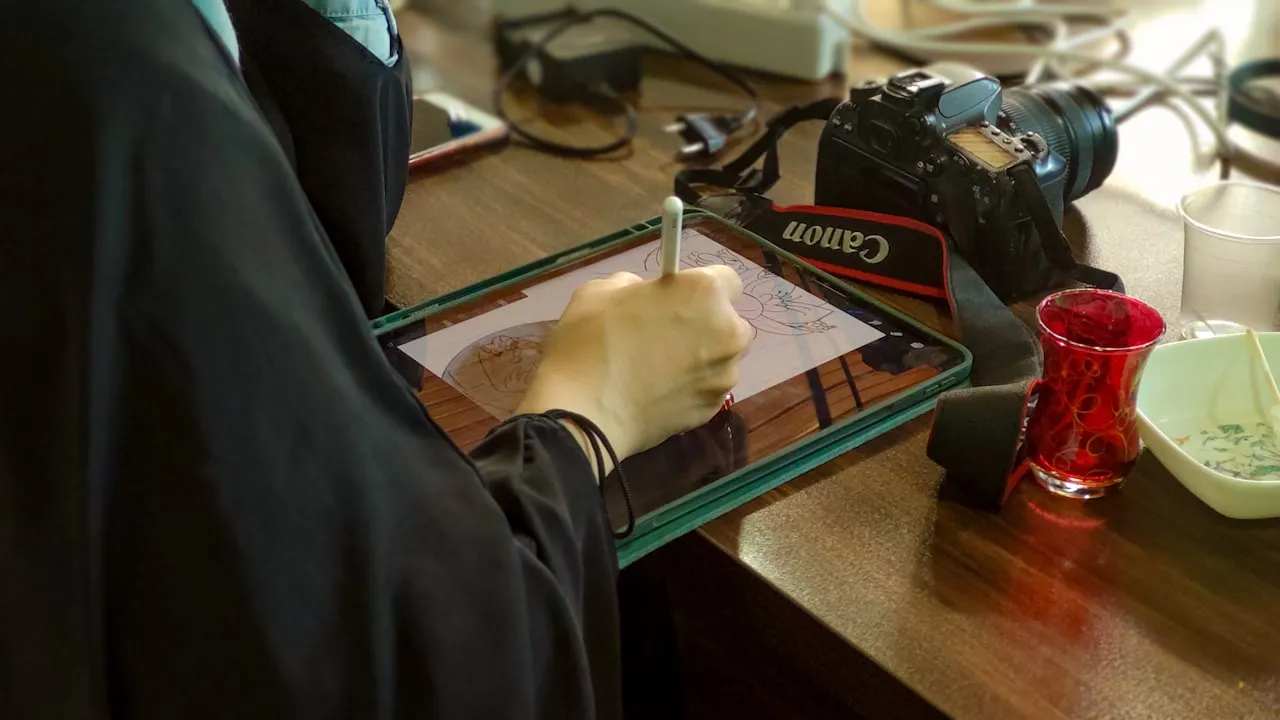
Digital drawing using a graphics tablet. Procreate on iPad and Photoshop on desktop with a Wacom tablet represent the two dominant hardware setups for contemporary digital art. Photo: Unsplash.
Adobe Photoshop: The Raster Editing Standard
Photoshop has been the industry standard for raster image editing since its release in 1990. In 2026, it is version 26.x and includes a substantial set of AI-assisted tools alongside its traditional feature set. Generative Fill, introduced in 2023, lets you select any area of an image and replace or extend it with AI-generated content described using text prompts. The integration of these tools into an already mature editing environment makes Photoshop the most versatile single application in the digital visual arts. According to Adobe's product page, Photoshop is used by over 90 percent of creative professionals worldwide.
For painters and illustrators, Photoshop offers a brush engine of considerable depth, full support for Wacom and other pressure-sensitive tablets, layer structures that rival anything else available, and compositing tools that can blend painted work with photographic reference seamlessly. For concept artists working in the games and film industries, Photoshop remains the standard. The majority of concept art, matte paintings, and digital paintings in professional entertainment production are made in Photoshop or finished there. The ability to import a 3D model as a reference layer, paint over it, and export the result as a layered file that a 3D department can use is a workflow that no other application matches.
Photoshop is best suited to:
- Concept art, character design, and environment painting
- Photo retouching, compositing, and manipulation
- Digital painting with photographic reference integration
- Print production work requiring precise color control
- Mixed media combining photography with painted elements
- Artists working on desktop or laptop with a drawing tablet
The primary limitation is cost. Photoshop requires an Adobe Creative Cloud subscription, which as of 2026 costs around $22 per month for the single-app plan. Over five years, that is over $1,300, compared to Procreate's $13 one-time purchase. There is also a legitimate learning curve. Photoshop is a deep application with tools developed across three decades, and its interface can feel overwhelming to new users. For pure illustration work without photo integration, it is more powerful than necessary, and some illustrators find Procreate or Clip Studio Paint more natural for drawing specifically.
Adobe Illustrator: Vector Precision
Illustrator is a vector drawing application, which means everything you create in it is described mathematically rather than as a grid of pixels. A path drawn in Illustrator can be scaled to the size of a billboard or reduced to a postage stamp with no loss of quality whatsoever. This fundamental property makes it the right tool for any work that needs to exist at multiple sizes or that will be used in print contexts with strict quality requirements. If you design a logo that will appear on a pen and on a truck, it must be a vector. A raster version would pixelate at large sizes.
Illustrator in 2026 includes AI-powered tools including Generative Recolor, which uses text prompts to apply new color schemes to existing artwork. Its Type tool remains the most capable in any design application, with full OpenType support, variable font controls, and paragraph styles that make complex typography manageable. The Pen tool, often intimidating to beginners, gives precise control over Bezier curves that produces clean geometric shapes and paths difficult to achieve in raster applications. Once you learn it, it becomes second nature. Until then, it can be deeply frustrating.
Illustrator is best suited to:
- Logo design, brand identity, and graphic design
- Flat illustration, geometric art, and iconography
- Typography-heavy work and editorial layout
- Pattern design for textiles, surface design, and product graphics
- Infographics and data visualization
- Any work destined for both digital and large-format print output
Illustrator does not suit artists who want to paint or draw expressively with a stylus. Its brush tools exist and have improved, but the vector engine underneath them produces a different feel from raster painting. Strokes in Illustrator are always clean, smooth, and mathematically perfect. For painterly or gestural work, that perfection is the wrong quality. Like Photoshop, it requires an Adobe Creative Cloud subscription.
A Quick Comparison
The three key axes of difference are: raster versus vector, hardware platform, and intended use case.
- Procreate: Raster, iPad only, painting and illustration, one-time purchase
- Photoshop: Raster, desktop and iPad (iPad version has reduced features), painting, photo editing and compositing, subscription
- Illustrator: Vector, desktop and iPad, graphic design and flat illustration, subscription
The raster versus vector distinction is the most important one. Raster images are made of pixels: they look perfect at their native resolution but degrade when enlarged beyond it. Vector images are made of mathematical paths: they can be scaled to any size without quality loss. If your work needs to scale, use Illustrator. If your work is primarily expressive and painterly, use Procreate or Photoshop.
How to Choose
Choose Procreate if you primarily work on an iPad and want the most responsive, intuitive drawing environment available. If you are an illustrator, comic artist, or sketch-driven creator and the iPad suits your lifestyle and working style, Procreate is likely the best single purchase you can make. Its one-time cost and regular free updates make it exceptional value.
Choose Photoshop if you work on a desktop or laptop with a drawing tablet, need to integrate painted work with photography, or work in industries like games, film, or advertising where Photoshop is the standard. Its depth and versatility make it the most capable single application for professional digital painting.
Choose Illustrator if your work is primarily graphic design, logo creation, typography, pattern design, or any illustration that needs to scale cleanly. If you make flat, geometric, or typographic work, Illustrator will do things that neither Procreate nor Photoshop can match.
Consider using two or three of them. Many professional digital artists use Procreate for sketching and initial ideation (because of its portability and feel), bring the work into Photoshop for detailed painting and compositing, and finish layout or scaling in Illustrator. These tools are designed to work alongside each other, not to replace each other. Adobe Creative Cloud makes Photoshop and Illustrator available together for around $55 per month, and many designers find having both is worth the cost.
Final Thoughts
The tool that makes you want to sit down and make work is the right tool. If Procreate makes you pick up the iPad because it is enjoyable to use, it is doing its job regardless of what Photoshop can technically do. If Illustrator's precision satisfies something in how you think about design, use it. The technical capabilities matter less than how naturally you move through the work.
That said, the practical distinctions between raster and vector, between tablet and stylus, between painting and compositing, are real and significant enough that choosing the right tool for your specific practice will make a measurable difference to how efficiently and enjoyably you work. If you are building a broader understanding of the digital art landscape, these three applications form the backbone of how most professional digital artists work today. For a deeper dive into the hardware side, our guide to drawing tablets covers Wacom, iPad, and other input devices. If you want to go further into code-based tools rather than interface-driven ones, the guide to creative coding for visual artists covers the next step.


