Aaron Rutten: The Tablet Reviewer Who Actually Paints With the Hardware
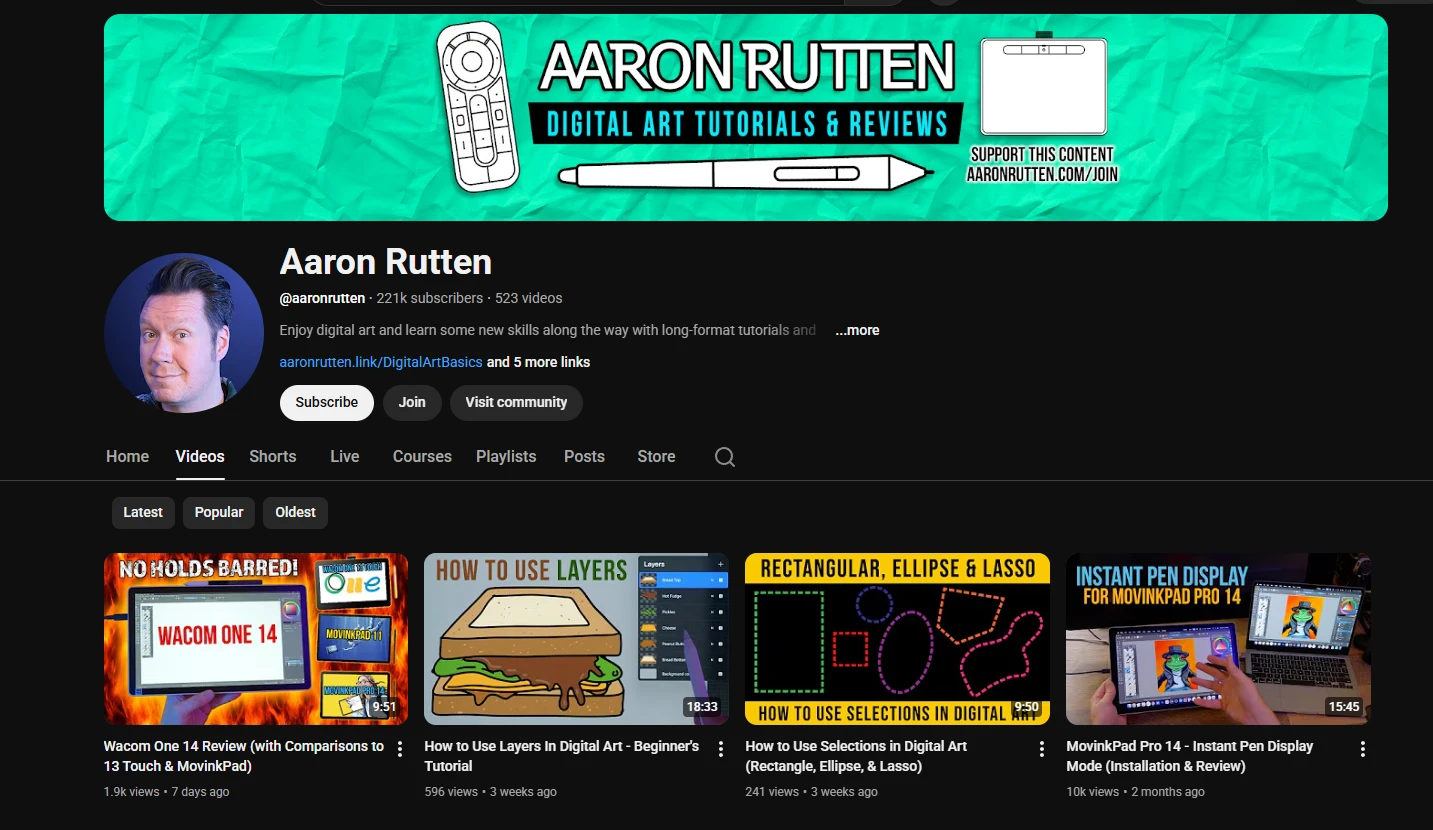
Buy a drawing tablet based on spec sheets and you will probably get it wrong. Pressure levels, report rates, and resolution numbers tell you almost nothing about whether a device feels good to draw on. Aaron Rutten figured this out early, and his channel, launched back in 2006, has spent nearly two decades answering the only question that matters: does this tablet feel right when you are actually making art with it?
Based in the Seattle area, Aaron has built a library of over 530 videos and accumulated 35 million views, all serving a narrow but genuinely useful niche: helping artists pick the right hardware and software without wasting money on the wrong tools. His 222,000 subscribers are not casual viewers. They are people standing in front of a purchasing decision who need someone who has already tested the thing they are about to buy.
The Reviews: An Artist Testing Tools, Not a Tech Reviewer Reading Specs
Aaron's tablet reviews are the core of his channel, and they work because he evaluates every device as a working artist. When he reviews the Wacom Cintiq 2025, he talks about the pen feel on the glass surface, whether the parallax bothers him during long sessions, and how the color accuracy holds up when painting skin tones. He does not dwell on pixel density charts or refresh rates unless they directly affect the drawing experience.
His archive covers practically every significant tablet from the past decade: Wacom Intuos, Wacom Cintiq, Huion Kamvas, XP-Pen Artist, iPad Pro with Apple Pencil, Samsung Galaxy Tab, and plenty of budget options. Each review follows a consistent structure covering drawing feel, build quality, display accuracy for screen tablets, driver reliability, and value for money. This consistency makes cross-device comparison straightforward in a way that scattered, format-less reviews from other channels cannot match.
He also updates his reviews. When Wacom releases a driver that fixes a parallax issue, or when Huion pushes an update that improves pen calibration, Aaron goes back and revises his assessment. In a market where a six-month-old review can be stale, this commitment to keeping content current is what separates him from channels that review a tablet once and never touch it again.
Corel Painter: The Software Nobody Else Covers Properly
While most digital art channels focus on Photoshop or Procreate, Aaron has carved out a specialty in Corel Painter, the natural media simulation software that offers watercolor, oil, chalk, and pencil emulation with a fidelity no other application matches. His Painter tutorials range from initial workspace setup through advanced brush customization and paper texture simulation.
This matters because Painter has a steep learning curve and a UI that intimidates new users. Aaron's tutorials are the most comprehensive free Painter instruction on YouTube, covering techniques that would otherwise require paid courses. If you want your digital paintings to look like actual watercolor or oil rather than flat digital color, his Painter content is where you start.
He also covers Krita, Photoshop, and other tools, always from the perspective of someone who paints with them rather than someone who reads feature lists. His software comparison videos pit Photoshop against Corel Painter against Clip Studio Paint against Krita against Procreate, evaluating each for different artistic disciplines. He is willing to say "this software is wrong for what you want to do," which is more useful than the generic "every tool has its strengths" hedging you get from most reviewers.
How He Compares to Other Hardware Reviewers
Aaron is not the only tablet reviewer on YouTube. Brad Colbow covers similar territory with higher production value and a broader catalog of recent devices. The difference is tone and depth. Brad's reviews are punchier and more entertaining, with better cinematography and tighter editing. Aaron's reviews are slower, more methodical, and go deeper into the painting experience itself. If Brad is the reviewer you watch to narrow down your shortlist, Aaron is the one you watch to make the final call.
Aaron also stands apart from general tech YouTubers who occasionally review drawing tablets. Those reviewers read spec sheets and measure latency with apps. Aaron paints a complete piece on each tablet and tells you how it felt. For an artist spending hundreds or thousands of dollars on hardware, that distinction is the difference between an informed purchase and a guessing game.
Who Should Watch
Traditional artists going digital will find Aaron particularly valuable. He addresses the specific frustrations of this transition: hand-eye coordination with screenless tablets, the mental shift from physical layers to digital ones, and the overwhelming number of software options. His empathy comes from personal experience as a traditional painter who adopted digital tools, not from a tech background.
Artists choosing their first tablet should watch his buying guides before spending anything. His "Top 10 Best Drawing Tablets" videos are updated yearly and organized by budget tier and use case, so you can find recommendations that match your needs without sitting through reviews of devices you cannot afford.
Corel Painter users have essentially nowhere else to go on YouTube for comprehensive, free instruction. Aaron's Painter tutorials alone justify subscribing if you use or are considering the software.
Insider Tips
- Check his website for written reviews that complement the video content. The written format lets you search for specific details without scrubbing through a 20-minute video.
- His membership program offers bonus review content and early access to new reviews. If you are actively shopping for hardware, the membership pays for itself by helping you avoid a bad purchase.
- Pay attention to his free software reviews. He regularly covers Krita and other free tools, which is valuable if you are budget-constrained and want to know whether free software is viable before paying for Photoshop or Painter.
Final Verdict: Who Is This Actually For?
Aaron Rutten is not trying to be the most entertaining art channel on YouTube. He is trying to be the most useful one for a specific decision: what hardware and software should you buy? If you are shopping for a drawing tablet, learning Corel Painter, or transitioning from traditional to digital art, his channel is the most reliable, honest, and thorough resource available. If you are looking for entertainment, creative inspiration, or advanced painting technique tutorials, you are better served by channels like Proko or Marco Bucci. Aaron's value is practical, and he delivers it consistently.
Start with his tablet review playlist and his Corel Painter tutorials, and you will save yourself money and frustration on your next hardware or software purchase.