Line of Action: The Free Figure Drawing Tool That Got a Major Upgrade in 2025
In April 2026, Line of Action added a new model named Rita to its reference library: 34 photos available to all users and 34 more for master-level subscribers. In March 2026, the platform rebuilt its custom photo and playlist system, raising the playlist limit from 100 to 300 photos and reducing lag. In March 2025, the site shipped a complete rebuild of its drawing tools, adding class mode, auto-pause, model-specific filtering, custom timer sizes, and a cleaner interface.
This is not an abandoned project. Line of Action is actively maintained and improved, which immediately separates it from most free art tools on the internet.
What Line of Action Actually Does
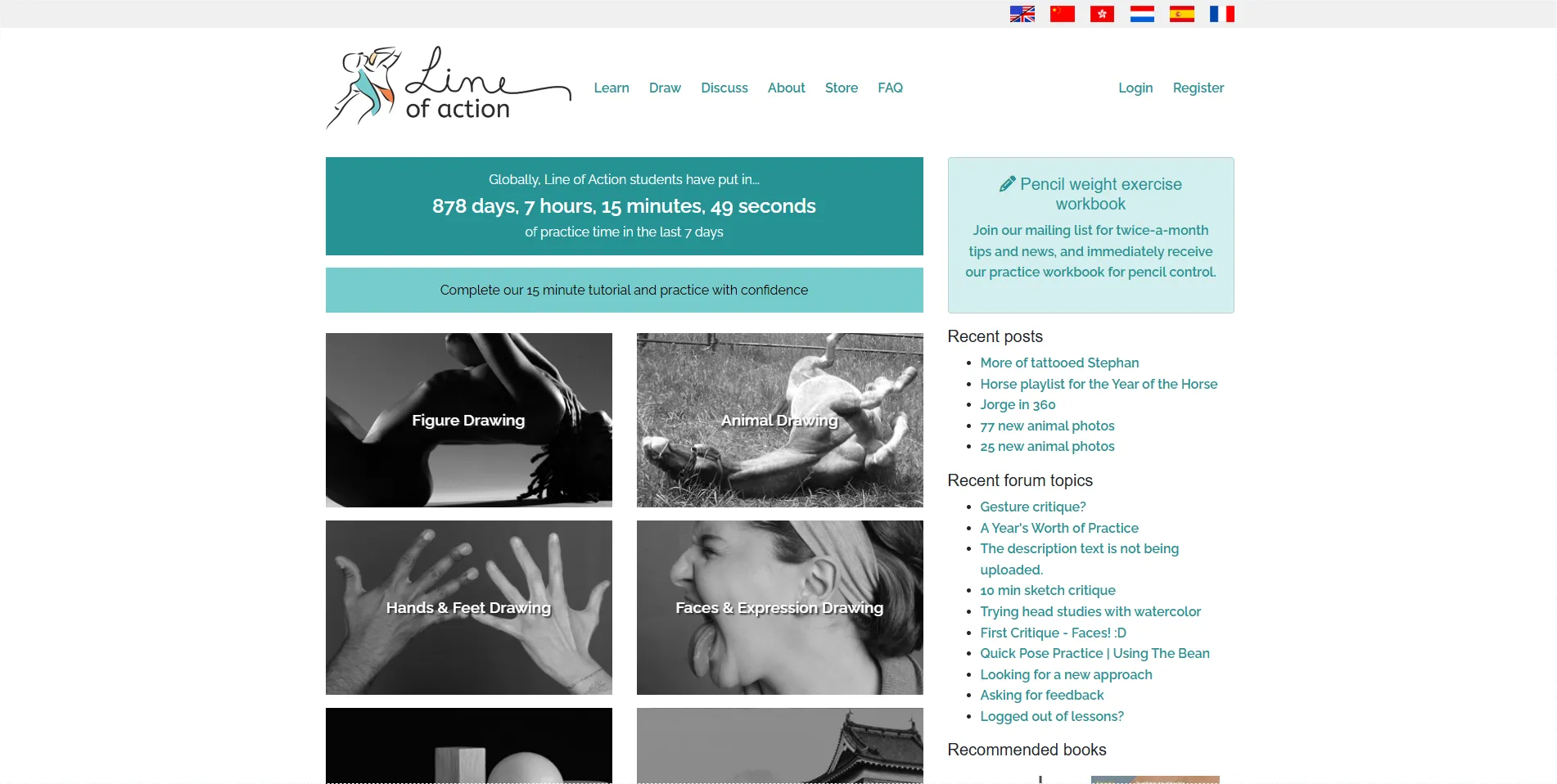
Line of Action is a free online tool that provides timed pose references for figure drawing practice. You select a category (figure drawing, faces and expressions, hands and feet, animals, landscapes), configure your session parameters, and the tool displays reference photos for a set duration, automatically advancing to the next image when the timer expires.
The principle is simple and grounded in a century of art education tradition: regular timed drawing practice is one of the most effective ways to develop observational drawing skills. In traditional art schools, students draw from live models in timed sessions ranging from 30-second gestures to longer poses. Line of Action simulates this experience digitally, without the cost or scheduling constraints of live model sessions.
The 2025 Rebuild: What Changed
The March 2025 rebuild was significant. Here are the features that matter most for practitioners:
- Class Mode warms you up with quick gesture drawings, gradually eases you into longer poses, and includes built-in break times during long classes. This simulates the structure of a traditional figure drawing class.
- Auto-pause while images finish downloading and displaying, so you never lose drawing time to loading delays.
- Model-specific filtering lets you draw only from a specific model, which is useful if you want to study one body type or pose set in depth.
- Session length limits let you set a specific number of images instead of drawing indefinitely until you press stop. For example: 30 seconds per image, 10 images total.
- Custom timer in minutes or seconds, not just seconds. You can set a 5-minute pose without converting to 300 seconds.
- Optional warning noises when the timer is running low.
- Better image review after a session ends, so you can review what you drew without the time pressure.
- Orientation filtering lets you only pull up images in a certain orientation, which is useful on mobile phones where landscape photos render too small.
- Frequently rotating official playlists for community challenges and focused practice.
Insider tip: The rebuild moved the timer to the bottom right and made it bigger, but you can also change the timer size by clicking on it. During class mode, a brief pop-up alerts you when the pose length changes, which was a frequent complaint in the old version where users would not notice the timer had shifted from 30 seconds to 5 minutes.
The Reference Photo Library
The library includes thousands of photos across multiple categories. The figure drawing collection features a diverse range of models in various poses, body types, and lighting conditions. New models are added regularly, as the Rita addition in April 2026 demonstrates.
The faces and expressions category provides photos of different facial expressions and angles. The hands and feet category addresses one of the most challenging aspects of figure drawing with focused reference material. The animals category includes various animals in different poses and movements, useful for concept artists and illustrators. The landscapes category exists but is less developed than the figure drawing collections.
For apprentice and master subscribers, the platform offers personal photo uploads, custom playlists (up to 300 photos), and access to premium model batches. The free tier remains genuinely useful without a subscription, but the paid tiers add meaningful value for serious practitioners.
How It Compares
Against live figure drawing sessions, Line of Action is free and available 24/7, but it cannot fully replace the three-dimensional observation that a live model provides. Drawing from a 2D photo flattens the form in ways that drawing from a live model does not. Serious artists should use Line of Action as a supplement to, not a replacement for, live sessions when available.
Against Quickposes.com, which offers a similar timed reference tool, Line of Action has a more polished interface, better class mode, and more active development. Quickposes is functional but has not seen the same level of ongoing improvement.
Against YouTube figure drawing channels that stream timed poses, Line of Action gives you more control over session parameters, model selection, and timing. YouTube is passive. Line of Action is configurable.
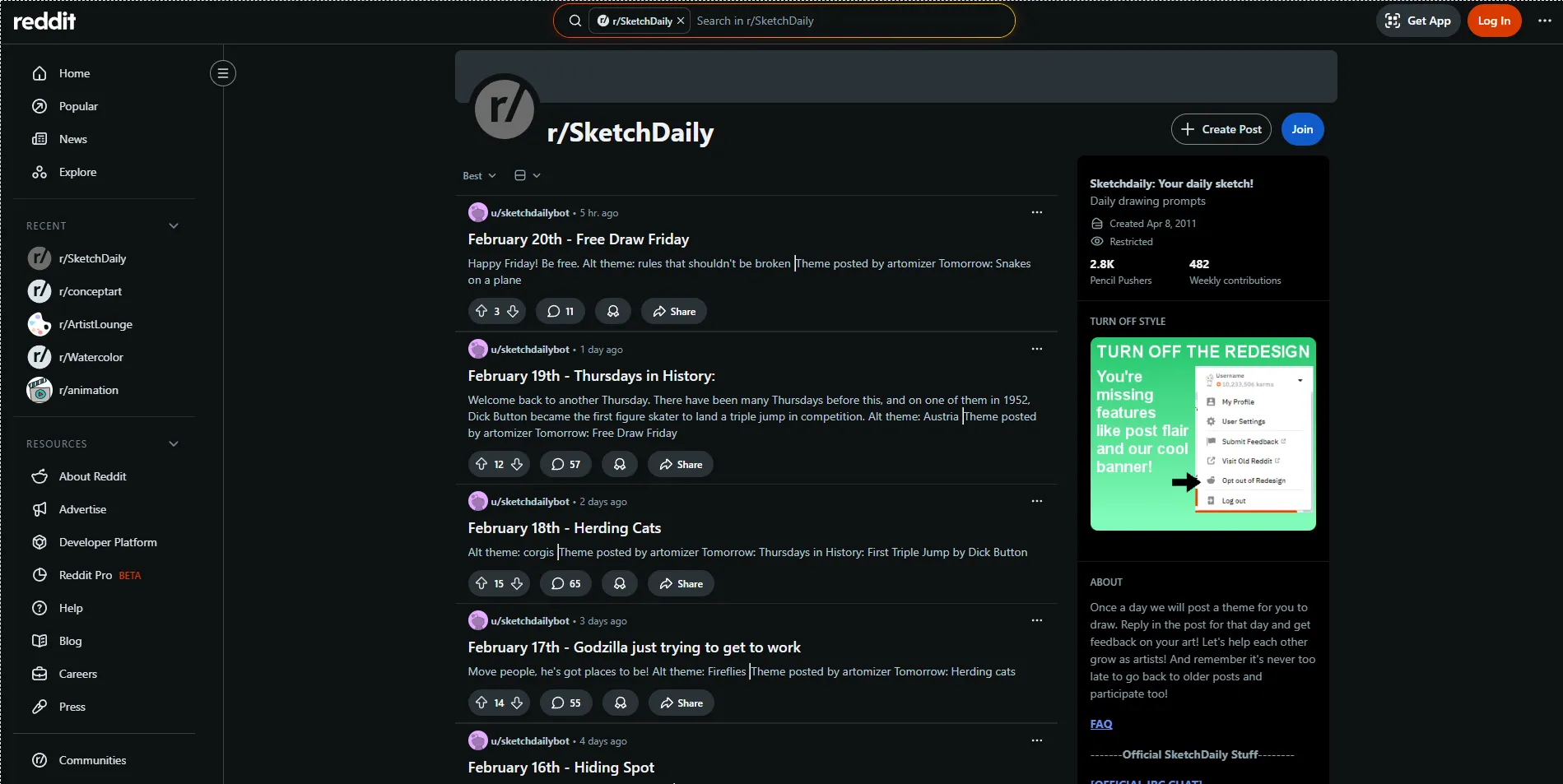
Against r/SketchDaily, which provides daily drawing prompts, Line of Action is specifically focused on timed figure drawing practice rather than general daily drawing challenges. The two complement each other well.
The Community
Line of Action includes forums and groups where artists share work, discuss practice strategies, and connect with other users. The community is supportive and focused on practice rather than portfolio presentation, which creates a low-pressure environment welcoming to artists at all skill levels.
The community is not large. This is a tool, not a social platform. If you want active community engagement, DeviantArt or Reddit art communities offer more interaction. Line of Action's community features exist, but they are secondary to the tool itself.
Integration with Art Education
Art teachers recommend Line of Action to students for home practice between class sessions. Art schools incorporate it into curricula as a supplementary tool. Self-taught artists use it as their primary figure drawing practice resource.
The tool's alignment with traditional art education principles makes it a natural complement to formal instruction. The timed practice format, the progression from quick gestures to longer poses, and the focus on observational drawing are all grounded in established pedagogical methods. If you are studying at an art school or taking classes at an atelier, Line of Action reinforces what you learn in class.
Who Should Use Line of Action?
Beginning artists benefit from the accessibility and low-pressure environment. The tool is free, requires no prior experience, and provides a structured way to start practicing figure drawing without the intimidation of a live class. The quick gesture format is valuable for beginners because it encourages focusing on the essential elements of a pose without getting bogged down in details.
Intermediate artists use it to maintain and develop skills between more structured learning experiences. The variety of reference photos and customisable session parameters allow targeting specific weaknesses.
Advanced artists use it for warm-up practice and to maintain observational skills. Even highly skilled artists benefit from regular gesture drawing, and the tool provides a convenient way to fit warm-ups into a daily routine.
Art teachers should recommend it to students for daily practice between sessions. The class mode simulates the structure of a figure drawing class, making it easy to assign specific practice configurations.
The Limitations
The biggest limitation is inherent to the format: drawing from photos is not the same as drawing from life. Photos flatten three-dimensional forms, fix lighting in ways that do not challenge the eye the way ambient light does, and remove the subtle shifts in pose that a live model makes over time. Line of Action is an excellent practice tool, but it cannot fully replace live model sessions.
The landscape category is thin compared to the figure drawing collections. If you are primarily a landscape artist, this tool will not serve you well.
The mobile experience has improved with the 2025 rebuild, but drawing reference photos on a small phone screen is inherently less useful than on a larger display. The orientation filtering helps, but a tablet or desktop is still the better setup.
Final Verdict: Who Is This Actually For?
Line of Action is the best free figure drawing practice tool on the internet, and it is getting better. The 2025 rebuild and 2026 updates show active development. If you want to improve your figure drawing skills through regular timed practice and do not have access to daily live model sessions, this is your tool. Use it daily for gesture warm-ups, use class mode for structured practice sessions, and consider a subscription if you want custom playlists and premium models.
Visit line-of-action.com to start a practice session. For related resources, check out our profiles on r/SketchDaily, r/LearnArt, and The Virtual Instructor.