Ctrl+Paint: The Free Digital Painting Resource That Should Cost Money
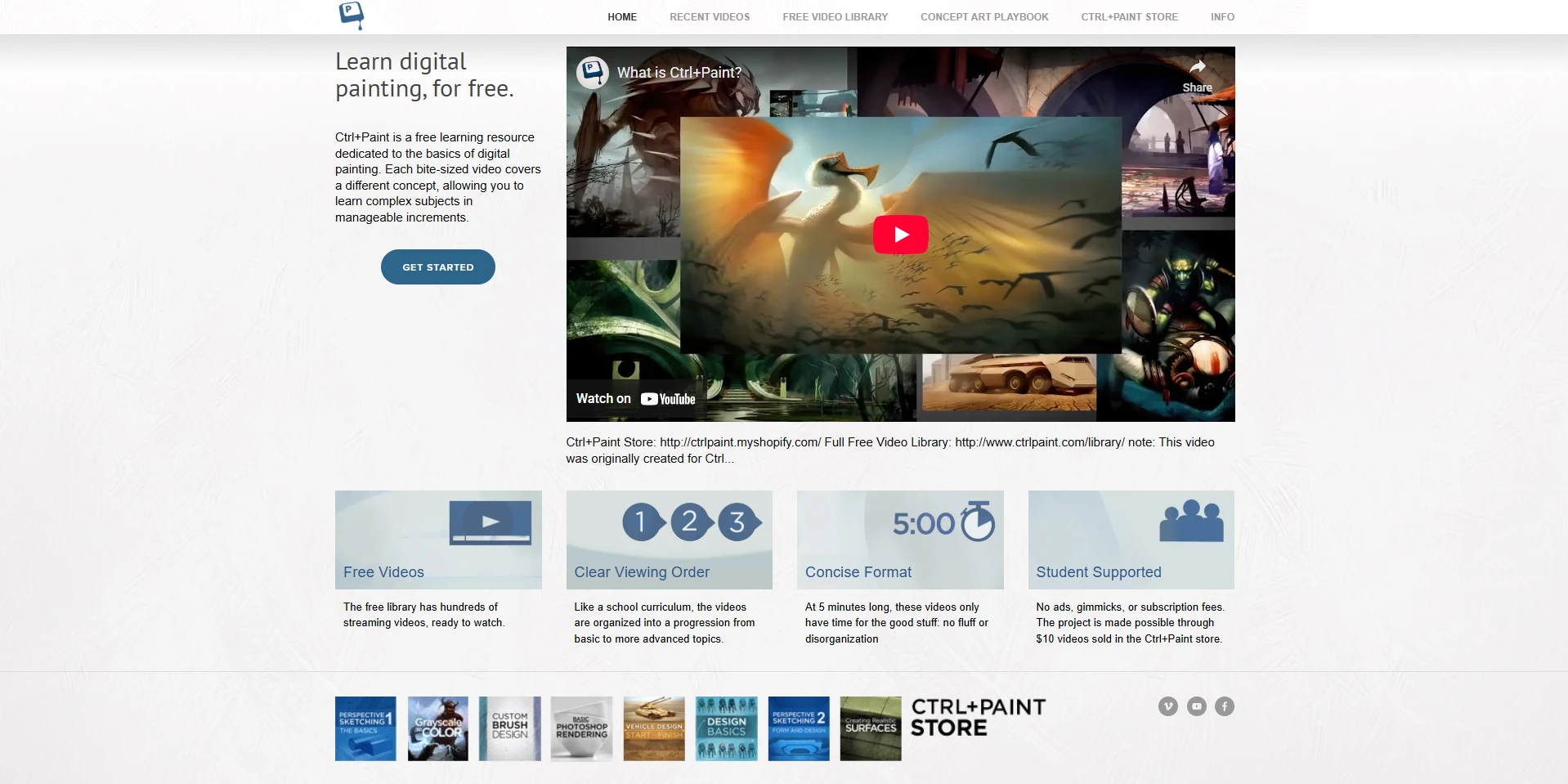
Hundreds of free video lessons. No ads. No subscription. No gimmicks. Just a structured, sequential curriculum that teaches digital painting from absolute zero through intermediate techniques, created by a professional digital artist who understood that most online art education is a chaotic mess of disconnected tutorials. Ctrl+Paint is the resource that many professional digital artists wish had existed when they were starting out, and it remains free because its creator, Matt Kohr, funds the project through $10 premium video packs sold in the site's store.
That is the entire business model: give away hundreds of short, focused lessons for free, and sell deeper premium courses for $10 each. In a market where platforms charge $59/year for subscriptions or $699 for single courses, Ctrl+Paint's approach is almost suspiciously generous. The question is whether free means good, or whether you get what you pay for.
The Free Library: What You Actually Get
The free video library contains hundreds of streaming videos, each 5 to 15 minutes long, organized into a clear sequential curriculum. New free videos are released every Tuesday and Thursday. The library is structured so that each lesson builds on concepts from previous videos, creating a genuine educational progression rather than a random collection of techniques.
The curriculum covers these core areas:
Digital Painting 101 is the starting point. Five short lessons cover navigating Photoshop's painting interface, understanding brushes and erasers, mixing paint digitally, working with layers, and a narrated demo that ties everything together. Matt assumes zero prior digital art experience. If you have never opened a painting program before, this is where you start.
Unpacking Value teaches you to see and control light and shadow through focused grayscale exercises. This is the single most important skill in representational art, and Matt's approach is practical rather than theoretical: you learn to simplify complex scenes into clear value structures that make paintings read convincingly.
Color Theory for Painters builds on the value foundation with hue, saturation, and temperature relationships in the context of actual painting practice. Matt's approach to color is focused on making decisions that work in paintings rather than memorizing abstract theory.
Form and Rendering progresses from simple geometric forms to complex organic shapes, teaching you to create the illusion of volume, mass, and spatial depth. This is the skill that separates flat, amateur-looking digital art from convincing, professional painting.
Texture and Materials covers rendering metal, glass, fabric, skin, wood, stone, and other surface qualities. These material studies develop observation skills that transfer across every painting situation.
Composition and Design covers visual hierarchy, focal point control, rule of thirds, dynamic symmetry, and the principles that organize paintings into coherent, engaging images.
Why Ctrl+Paint Works When Other Free Resources Do Not
The brief lesson format is pedagogically sound. Each video introduces one concept, explains it clearly, and provides context for practice. This focused approach prevents the information overload that longer tutorials create, and it makes it easy to revisit specific concepts when you need a refresher.
More importantly, Ctrl+Paint teaches painting skills rather than software features. Many digital art courses focus on what buttons to press rather than what artistic decisions to make. Matt keeps artistic fundamentals (value, color, composition, form) at the center of every lesson, treating software as a tool rather than the subject. This means the skills you learn transfer to any painting software. The principles of value structure, color temperature, edge control, and form rendering apply equally to Photoshop, Procreate, Clip Studio Paint, Krita, or any future tool.
The site also avoids the common trap of teaching by demonstration alone. Instead of just showing you how to paint a specific subject, Matt teaches the underlying skills that make that painting possible, so you can apply those skills to any subject you choose.
The Premium Courses: Worth $10?
The Ctrl+Paint store offers premium video packs at $10 each, covering topics that go deeper than the free library. These include the Digital Realism Starter Kit (367 minutes of content on layering photographic elements with digital painting), Basic Photoshop Rendering, and courses on portrait painting, environment art, creature design, and advanced rendering techniques.
At $10 per pack, the premium content is priced low enough that the decision is straightforward. If you have worked through the free library and want to go deeper on a specific topic, buy the relevant premium pack. The risk is minimal, and the quality matches the free content.
The premium courses maintain the same pedagogical clarity and skills-first approach. They are not a watered-down upsell. They are genuine deep dives that the free format cannot accommodate because the topics require more sustained demonstration than 5 to 15 minute videos allow.
How It Compares to Other Platforms
- Versus 21 Draw: 21 Draw charges $59/year for 70+ courses taught by industry professionals. Ctrl+Paint is free for the core library and $10 per premium pack. 21 Draw offers broader subject coverage (character design, comic art, concept art) and higher-profile instructors. Ctrl+Paint offers a more structured, sequential curriculum for digital painting fundamentals. If you are specifically learning to paint digitally, start with Ctrl+Paint. If you want broader illustration skills, 21 Draw is the better investment.
- Versus Domestika: Domestika courses cost $10 to $20 each and offer 2 to 6 hours of cinematic, professionally produced content. Ctrl+Paint's free library is less polished but more structured for sequential learning. Domestika is better for exploring specific techniques from specific artists. Ctrl+Paint is better for building fundamentals systematically.
- Versus Digital Painting Studio: Digital Painting Studio charges $39/month for structured learning paths with community features and progress tracking. Ctrl+Paint offers similar structured learning for free, but without the community, progress tracking, or accountability. If you need community and accountability, Digital Painting Studio is worth paying for. If you are self-motivated, Ctrl+Paint gives you the same core content at no cost.
Who Benefits Most
Complete beginners who have never picked up a digital brush will find Ctrl+Paint's Digital Painting 101 series provides the clearest, gentlest introduction to digital art available anywhere for free. The assumption of zero prior knowledge and the systematic progression from basic tool use through fundamental painting concepts creates a learning experience that never overwhelms.
Traditional artists transitioning to digital will appreciate that Ctrl+Paint teaches painting fundamentals rather than software features. The skills-first approach ensures that traditional painting knowledge transfers directly to digital practice, and the software instruction is presented as a means to artistic ends rather than an end in itself.
Self-taught digital artists who have learned software features but lack foundational painting knowledge will find that Ctrl+Paint's value, color, and form lessons fill exactly the knowledge gaps that produce technically proficient but artistically weak work.
What Ctrl+Paint Does Not Do
Ctrl+Paint does not offer live feedback, portfolio reviews, or instructor interaction. There is no community forum, no assignment submission, and no one to tell you whether you are progressing or plateauing. The education is entirely self-directed and asynchronous.
The platform also does not cover advanced entertainment industry concepts like production pipelines, studio workflows, or portfolio preparation for specific studios. If you want that level of training, you need CGMA or Brainstorm School. Ctrl+Paint is the foundation. Those platforms are the specialization.
Finally, the free library is Photoshop-centric in its demonstrations. The principles transfer to any software, but if you use Procreate or Clip Studio Paint, you will need to translate the interface references yourself.
Insider Tips
- Watch the videos in order. The library is structured sequentially for a reason. Skipping ahead to topics that interest you without building the foundational skills first is the most common mistake self-taught artists make on this platform.
- Do the exercises, not just the watching. Each lesson is designed to be followed by practice. If you watch 20 videos in one sitting without picking up your stylus, you have learned nothing.
- Buy the Digital Realism Starter Kit if you are past the basics. At $10 for 367 minutes of intermediate content, it is the best value premium pack on the site and bridges the gap between the free fundamentals and more advanced techniques.
- New videos drop every Tuesday and Thursday. If you have worked through the existing library, following the new releases keeps your learning current without costing anything.
Final Verdict: Who Is This Actually For?
Ctrl+Paint is the best free resource for learning digital painting from scratch. Its curriculum-based approach, short focused lessons, emphasis on painting fundamentals over software features, and comprehensive coverage from beginner basics through intermediate rendering make it the ideal starting point for anyone entering digital art.
It is not a complete education. It does not offer feedback, community, or advanced industry-specific training. But as a foundation, it is unmatched at its price point (free). If you are starting your digital art journey, start with the Ctrl+Paint free library and work through it in order. Once you have built the fundamentals, move on to 21 Draw for broader illustration skills or CGMA for professional concept art training. Ctrl+Paint gives you the base that makes every subsequent investment in your education more effective.