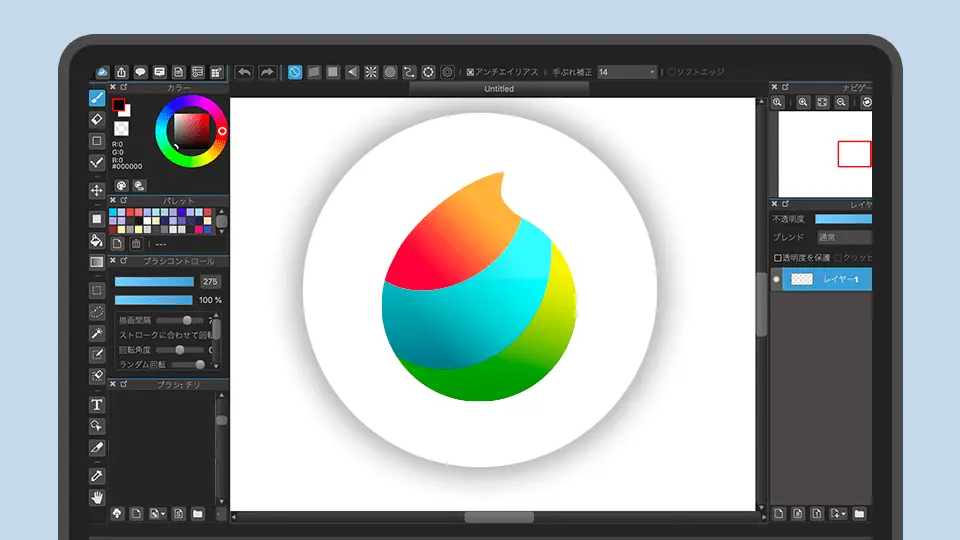
MediBang Paint: The Free Comic Studio That Syncs Across Every Device You Own
MediBang Paint has over 100 million downloads across 150+ countries, and the reason is simple: it is the only free app that gives you real comic production tools, cloud sync across unlimited devices, and collaborative drawing on the same canvas, all without charging you a cent for the core experience.
Developed by MediBang Inc. in Tokyo, the app is built around manga and comic workflows first, general painting second. Panel division tools, 1,000+ screentones, 60+ fonts, speech bubble creation, and CMYK PSD export for print production are all included in the free version. The 2026 updates (version 28.x) added a Simple Mode for the home screen, timelapse recording for social sharing, and real-time collaborative drawing that lets multiple artists work on the same canvas simultaneously.
Comic Tools That Actually Work
Panel Layouts
The panel division tool lets you split and merge frames with precise gutter widths. Standard manga and comic page templates are built in, so you are not starting from a blank rectangle every time. You can auto-split frames, adjust frame properties individually, and set manuscript guides for professional print specifications.
Screentones and Halftone Effects
Over 1,000 screentones are available through MediBang's cloud library, covering the halftone patterns that manga artists rely on for shading, texture, and atmospheric effects. These are not sample-sized packs. This is a full screentone library that would cost real money in Clip Studio Paint's asset store.
Speech Bubbles and Lettering
Built-in speech bubble tools with multiple styles, tail positioning, and text alignment handle the lettering workflow that comic production demands. Over 60 fonts are included, covering Japanese and English comic typography needs. The text tools are not as sophisticated as dedicated lettering software, but they are more than sufficient for webcomic and indie comic production.
CMYK PSD Export
MediBang supports CMYK-compatible PSD file export, which means you can produce print-ready comic pages without needing Photoshop for color space conversion. For indie creators preparing files for print-on-demand services like Ka-Blam or traditional comic printers, this removes a common workflow bottleneck.
Cloud Sync: The Killer Feature
MediBang's cloud sync is its most practically valuable feature, and it works across unlimited devices linked to one account. Start a comic page on your Windows desktop, continue on an iPad during your commute, and add finishing touches on an Android phone during lunch. All changes sync automatically.
The cloud architecture also enables real-time collaborative drawing, where multiple artists can work on the same canvas simultaneously. For webcomic teams and collaborative projects, this shared workspace capability is rare even in paid software. Clip Studio Paint does not offer this. Procreate does not offer this. MediBang gives it to you for free.
The Brush Situation
The free version includes 180 default brushes covering pencils, pens, airbrushes, watercolors, and specialty tools. These brushes are customizable, and you can create your own from scratch. The brush engine supports pressure sensitivity and produces smooth lines on both Wacom tablets and mobile styluses.
The MediBang Premium subscription ($2.99/month or $24.99/year) unlocks 700+ additional brushes and custom brush set creation. This is a reasonable price for the expanded library, but the free 180 brushes are sufficient for most comic and illustration work. The subscription does not lock core features behind a paywall. It is an expansion pack, not a gate.
The brush engine itself is competent but not exceptional. It cannot match Krita's nine-engine system or Procreate's Valkyrie-optimized responsiveness. For comic artists who primarily need clean inking and flat coloring, this is not a problem. For painters who want expressive, organic brushwork, MediBang will feel limiting.
MediBang vs. Clip Studio Paint: The Honest Comparison
| Feature | MediBang Paint | Clip Studio Paint |
|---------|---------------|-------------------|
| Price | Free (Premium $24.99/year) | $50 one-time or $4.99/month |
| Platforms | Windows, Mac, iPad, iPhone, Android | Windows, Mac, iPad, iPhone, Android, Galaxy |
| Brushes | 180 free / 700+ with Premium | Thousands + asset store |
| Screentones | 1,000+ free | Asset store (many paid) |
| Cloud sync | Unlimited devices | Limited cloud storage |
| Collaborative drawing | Real-time | No |
| Vector layers | Basic | Advanced with vector control points |
| Animation | No | Yes (EX version) |
| CMYK export | Yes | Yes |
Clip Studio Paint is the stronger tool overall, with superior vector layers, a more powerful brush engine, better perspective rulers, and a massive asset store. But Clip Studio costs money, and its subscription model has drawn criticism from artists who preferred the old one-time purchase. MediBang gives you 80% of the comic production workflow at 0% of the cost.
Platform Performance
The desktop version (Windows and macOS) provides the full feature set with keyboard shortcuts and multi-monitor support. The iPad version leverages Apple Pencil for pressure-sensitive inking and performs well on iPad Air and Pro models. The Android version (updated to 28.24 as of June 2026) runs on tablets and phones, with the phone version offering a simplified but functional drawing experience.
The app is lightweight, requiring minimal storage space, which makes it practical for older devices and budget tablets where heavier applications like Photoshop would struggle.
Insider Tips
- Use the MediBang Library for templates. The library includes practice sheets, comic templates, and tutorial resources that are accessible directly from the app. These are genuinely useful for beginners, not just marketing filler.
- Set up cloud sync before starting your first project. If you enable cloud sync after creating local files, you will need to manually upload them. Starting with cloud enabled avoids this hassle.
- Try collaborative drawing for feedback sessions. Invite a friend or critique partner into your canvas. Seeing their annotations in real-time is faster than sending screenshots back and forth.
- Export timelapse for social media. The timelapse recording feature is a one-tap activation from the menu tab. Share to social platforms with #medibangpaint and #timelapse to tap into the app's active community.
Final Verdict: Who Is This Actually For?
MediBang Paint is the first app any aspiring comic or manga artist should install. It costs nothing, runs on every device you own, syncs your work to the cloud, and gives you the comic-specific tools (panels, screentones, speech bubbles, fonts) that general painting apps do not include.
If you outgrow its brush engine or need advanced vector tools, the natural upgrade path is Clip Studio Paint. But many webcomic creators produce entire serialized comics in MediBang without ever needing to upgrade. The free version is not a trial. It is the product.
Download it free at medibangpaint.com, and check out our comic creation courses to learn paneling and storytelling fundamentals.